By Joseph Zarycki
If a LabVIEW program runs clean on the bench and then starts missing samples the moment you turn on the live chart or start logging to disk, that is a timing problem. The fix is usually a producer consumer loop.
Why a single loop drops data
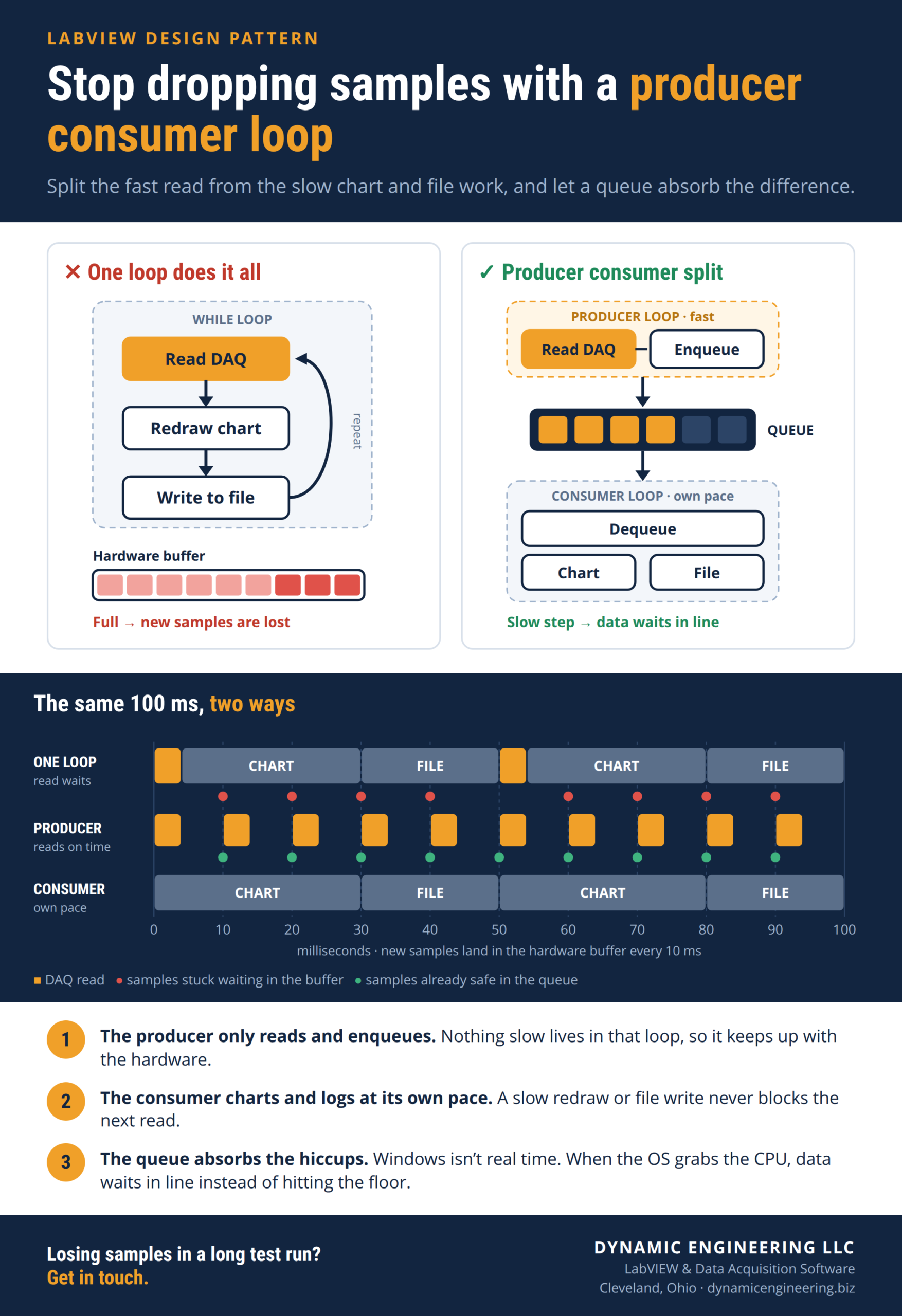
Say you wire up one while loop. It reads the DAQ, updates a graph, writes a row to a file, then loops again. That works fine at slow rates. The trouble is everything runs in order. The loop cannot grab the next sample until the graph redraws and the file write comes back. While the loop waits, samples pile up in the hardware buffer, and once it is full you lose them.
How the producer consumer loop fixes it
A producer consumer design runs two loops at once. The producer loop has one job. It reads the data and drops it into a queue, so it stays fast. The consumer loop pulls data off the queue and handles the slower work, redrawing the chart and writing to disk. The queue in the middle acts as a buffer. If the consumer falls behind for a moment, the data waits in line instead of getting dropped, and your acquisition keeps running.
It is also your safety net for the stuff you cannot control. Windows is not a real time operating system, so now and then it grabs the CPU for a few milliseconds. Or a piece of your code takes an extra cycle to run. The producer already handed its samples to the queue, so a hiccup in the consumer costs you nothing.
Where it helps
Any time acquisition speed matters and you are also showing or saving data, a producer consumer loop earns its keep. High speed DAQ, event logging, long test runs. It is one of the first things we set up when a system runs for hours and cannot drop a sample.
Building or fixing a LabVIEW test system in the Cleveland area? Our team at Dynamic Engineering has been writing data acquisition software since 2008. Get in touch and we will help.